For your time alone at the computer,
a companion who speaks up
MiaChat is an AI desktop companion that watches your screen and speaks up when the moment calls for it.
While you work, study, watch videos, or game.
It brings a little life to the hours you spend alone at your screen.
Please visit this page from a desktop computer to download.
Hi, I'm Mia. I'll keep you company during your time at the computer.
This is a sample conversation on the landing page. Real screen understanding runs in the desktop app.
MiaChat is an AI desktop companion that watches your screen and speaks up when the moment calls for it.
While you work, study, watch videos, or game.
It brings a little life to the hours you spend alone at your screen.
Please visit this page from a desktop computer to download.
You spend more time
alone with your screen
than you think
While you're working. While you're watching a video.
While you're stuck on a game. While you're deep in a late-night research rabbit hole.
So much is happening on your screen,
but there's no one there to react to it with you.
Watches your screen, reads the room
Mia keeps you company through three simple steps. You stay in full control the whole time.
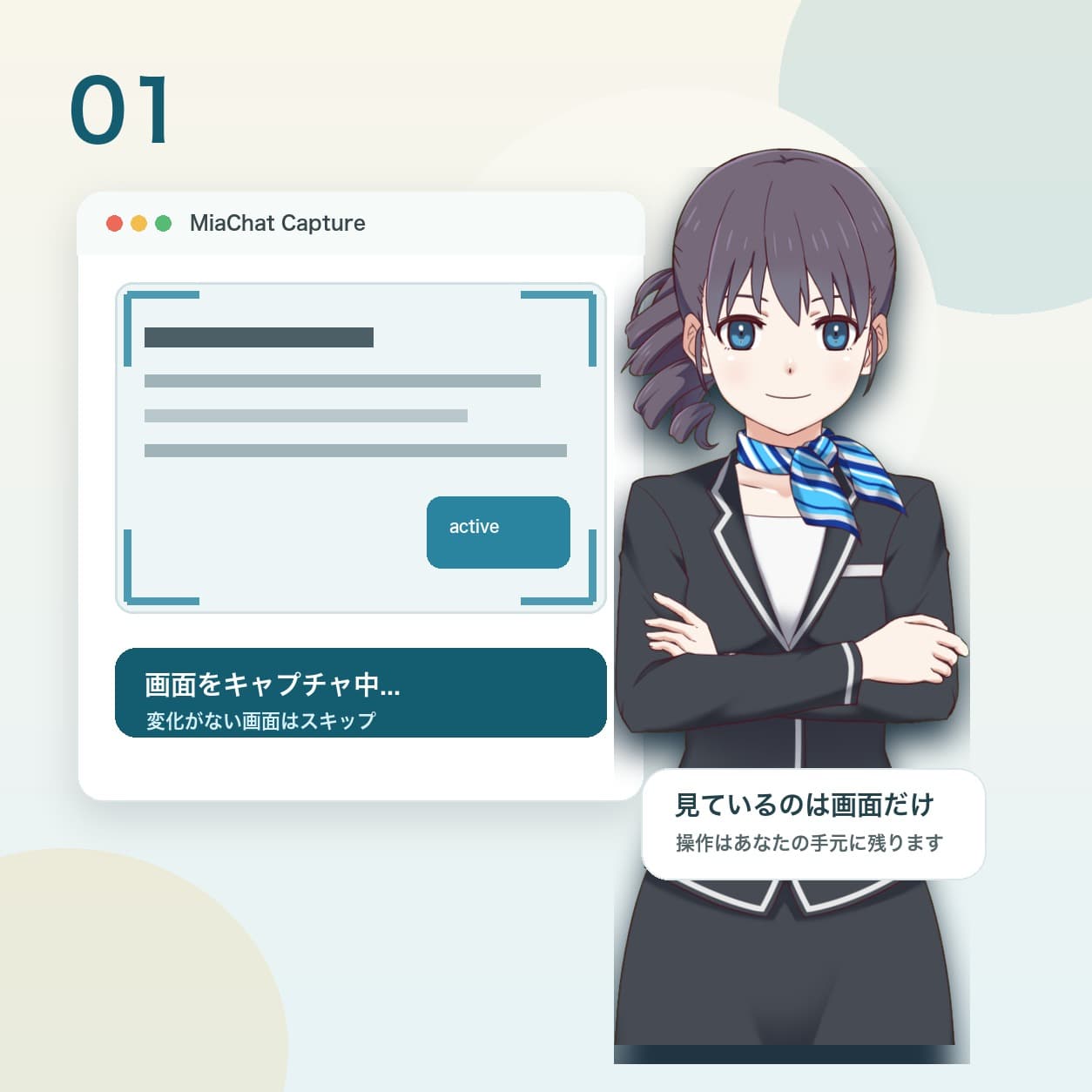
Captures your screen
Automatically captures your active window every 5 seconds, skipping frames when nothing's changed to stay efficient.
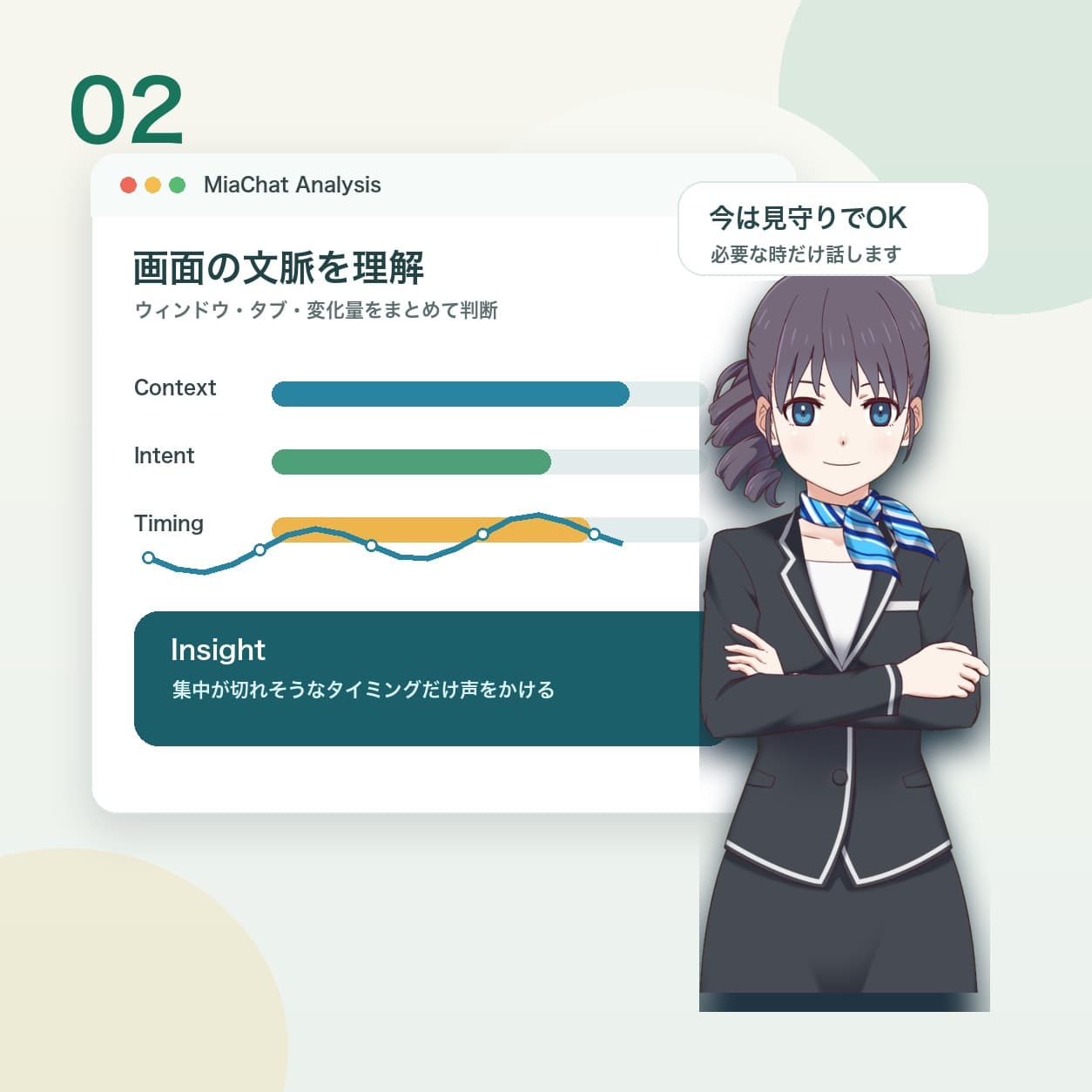
AI understands the moment
Analyzes what's on screen with Gemini's multimodal power — code, videos, games, documents, all understood.
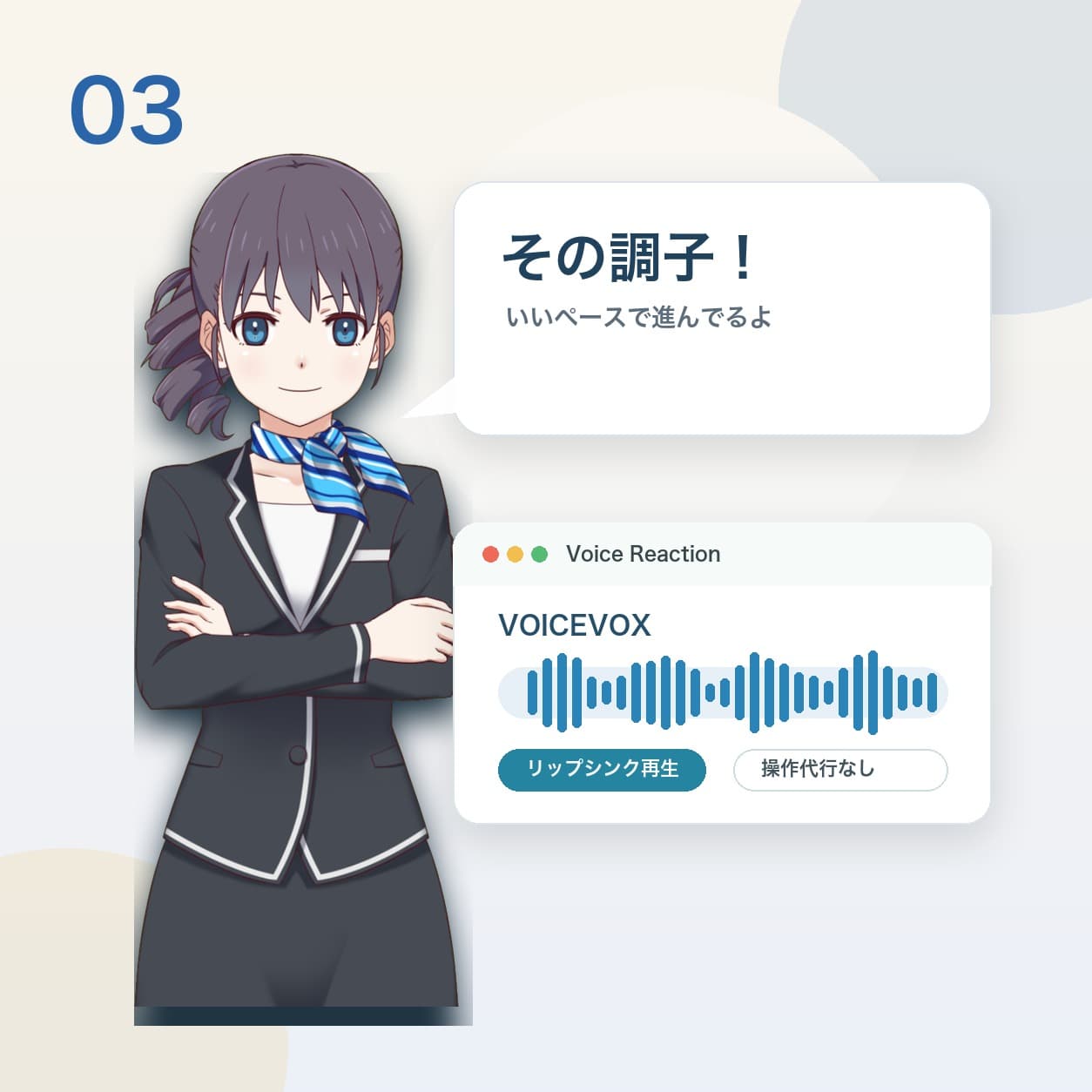
Speaks up
Reacts out loud with VOICEVOX voice and lip sync. Never touches your mouse or keyboard — just keeps you company through conversation.
Not an autopilot AI — a watch-over AI
MiaChat is a desktop companion that understands your screen and talks to you about it. It doesn't automate tasks or take actions on your PC without you.
What Mia can do
- Reads what's on your active screen to understand what you're doing
- Chimes in with short comments and reactions that fit the moment
- Chats with you about whatever's on screen when you ask
What Mia won't do
- Automate your browser or apps
- Click, type, buy, post, or submit things on your behalf
- Change files or account settings without your permission
Real AI reactions
At work or at play, moments when Mia watches your screen and speaks up on her own
"Nice work publishing that video"
Spots the "video uploaded" confirmation on YouTube Studio
"So close — you'll get it next run"
Reads the score and rank on a game's results screen
"Wrestling with a bug? Take a breath"
Sees a wall of red error logs in the terminal
"You're in a good spot" — then catches herself
Notices she's blocking part of the screen
Studying along with you
A spec doc packed with text is open on screen
My own personal
always-supportive, always-watching AI companion
— from user feedback
Frequently Asked Questions
Answers to what you're probably wondering before you get started.
Is it free to use?
Yes — MiaChat is free to download and use. A paid plan with higher usage limits is coming soon.
Will it take actions on my computer without asking?
No. MiaChat only watches your screen and talks to you about it — it never clicks, types, or submits anything on your behalf. Control of your PC always stays in your hands.
How is my screen data handled?
Captures of your active window are used solely so the AI can understand what's happening, and images are automatically deleted after 7 days. See our Privacy Policy for details.
Which operating systems are supported?
MiaChat is a desktop app for macOS (Apple Silicon) and Windows. There's no browser version.
Can I use it somewhere I can't have sound on?
Yes. Mute it and the voice stops — you can still see how Mia's reacting through her on-screen character.
Bring a companion to your solo screen time
With MiaChat, sitting alone at your desk gets a little livelier.
Please visit this page from a desktop computer to download.